
Email Signature Marketing for Retailers
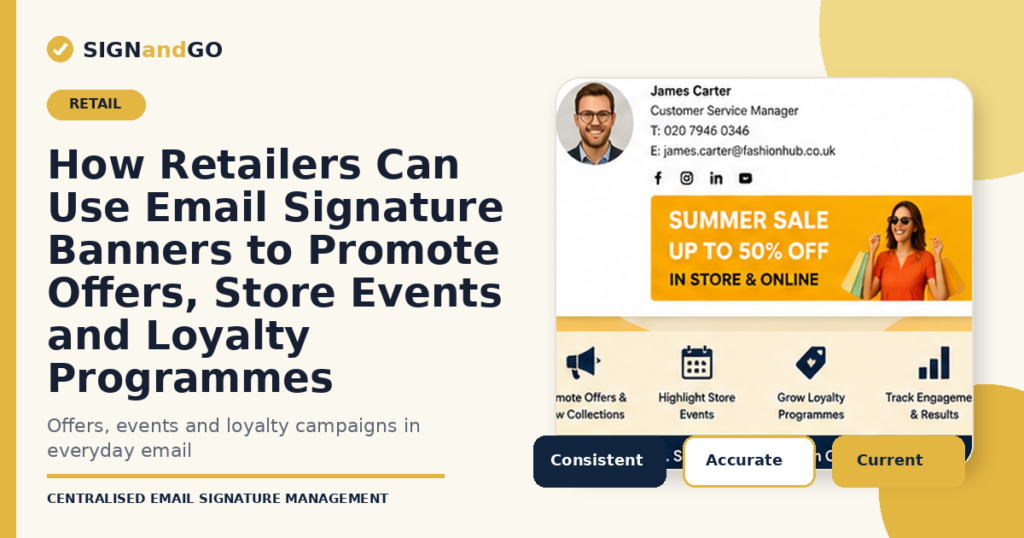
How Retailers Can Use Email Signature Banners to Promote Offers, Store Events and Loyalty Programmes
Retail marketing teams work across paid media, websites, social channels, apps, CRM programmes, store displays and customer email. Yet one regular customer touchpoint is often treated only as an administrative detail: the employee email signature.
Every message sent by store managers, customer-service teams, buyers, account managers, franchise support teams and head-office employees can carry a small, relevant campaign banner. The recipient is already reading a genuine business email, so the banner supports an existing conversation rather than creating another promotional message.
Used carefully, email signature marketing can give retailers an additional channel for current offers, product launches, store events and loyalty activity. The key is central control. Campaigns need accurate targeting, scheduled dates, approved creative and measurable links.
Why email signature marketing suits retail
Retail campaigns are frequent, visual and time-sensitive. Email signatures provide persistent visibility within day-to-day communication, particularly in business areas where employees regularly contact customers, suppliers, partners and franchisees.
The channel has several practical strengths:
- It uses email traffic the organisation already generates.
- It supports campaigns without requiring a separate email send.
- It can carry different messages for different teams, brands or regions.
- It reaches recipients during an active one-to-one or business conversation.
- It can be scheduled to match offer dates and removed automatically.
- Clicks can be tracked through tagged links and analytics.
Email signature banners should not replace CRM email, paid media or in-store activity. They work best as a supporting channel that repeats a clear message across routine communications.
Retail campaigns that work well in email signatures
Seasonal offers and sales events
Retail calendars contain predictable trading moments such as summer sales, back-to-school activity, Black Friday, Christmas, clearance periods and category-specific events. A signature banner can reinforce the main campaign and direct recipients to the relevant landing page.
New product or collection launches
Fashion, beauty, homeware, food and specialist retailers can use banners to introduce a new range, limited edition or seasonal collection. The strongest banner uses one clear visual, a short proposition and a direct call to action.
New-store openings and local events
Location-targeted banners are useful when a retailer opens a new store, refurbishes an existing location, runs an in-store demonstration or holds a local event. Employees in the relevant region can display the campaign without applying it across the entire organisation.
Loyalty programme acquisition
Customer-service and store-support emails can include a banner inviting recipients to join a loyalty programme, download an app or review their membership benefits. The destination page should explain the value clearly and keep the registration process brief.
Click and collect, delivery and service messages
Retailers can use signature space to explain services that customers may not know about, including click and collect, appointment booking, repairs, personal shopping, trade accounts or extended returns.
Gift cards and corporate purchasing
B2B and customer-service teams may have regular conversations with companies, event organisers and partners. A targeted banner can promote corporate gift cards, bulk purchasing or business account services to this audience.
Sustainability and community initiatives
A banner can direct recipients to recycling programmes, product take-back schemes, charitable partnerships, local community projects or published sustainability information. Claims should be specific, approved and supported by the linked page.
Target campaigns by audience, not just by company
One generic banner across every employee is easy to deploy but rarely the most relevant approach. A central rules system allows retailers to match campaigns to the sender’s team, location, brand or audience.
Examples include:
- Store teams promoting a local event or store-specific offer.
- Customer-service teams promoting loyalty registration or delivery options.
- Trade and corporate sales teams promoting business accounts or bulk orders.
- Supplier-facing buying teams displaying a trade show or partner message.
- Employees within one retail brand using a campaign that does not apply to other group brands.
- Regional teams displaying country-specific dates, language or destination pages.
Targeting protects relevance. It also prevents employees from manually choosing campaigns, which can lead to the wrong offer being shown to the wrong audience.
Build a retail email signature campaign calendar
Signature campaigns should be planned alongside the wider retail marketing calendar. Each campaign needs a clear owner, target group, creative deadline, landing page, start date and end date.
A simple planning process is:
- List the main retail campaigns, local events and service messages for the next quarter.
- Identify which employee groups regularly email the audience for each campaign.
- Create a banner and landing page that use the same campaign message.
- Add campaign tracking parameters to the destination link.
- Schedule the banner to begin and end automatically.
- Review click and conversion data after the campaign.
Automatic end dates matter in retail. An expired discount, past event or closed competition can damage trust and create avoidable customer-service work.
Designing a retail signature banner that earns clicks
The banner appears below an employee’s contact details and may be viewed on a narrow screen. It should communicate one idea quickly.
- Use one campaign message and one primary call to action.
- Keep text large enough to read on a mobile device.
- Use concise wording rather than copying a full advertisement into the signature.
- Maintain adequate contrast between text and background.
- Use an image size that loads quickly and fits the approved signature width.
- Link the whole banner or a clearly defined call-to-action area.
- Create accessible alternative text for the image.
- Avoid animation where it may distract from the email or render inconsistently.
The signature itself must remain professional. Promotional content should sit beneath a clear contact block and should not overwhelm the sender’s identity.
Connect every banner to the right landing page
A banner should not link to the retailer’s homepage unless the homepage directly continues the campaign message. Send recipients to the most relevant product category, store event, loyalty registration page or offer page.
The landing page should match the wording and creative used in the banner. It should also explain any eligibility, dates or restrictions clearly. This reduces friction between the click and the desired action.
Measure performance with tagged links
Email signature campaigns should be measured separately from other traffic sources. Add UTM parameters or another agreed tracking method to each banner URL so analytics can identify the source, campaign and sender group.
Useful measures include:
- Banner clicks.
- Click-through rate where reliable impression data is available.
- Landing-page engagement.
- Loyalty registrations, bookings, enquiries or purchases attributed to the campaign.
- Performance by department, region, brand or creative version.
The aim is not to compare signature banners directly with every other retail channel. It is to identify which messages and audiences produce meaningful engagement from communication that was already taking place.
Set clear governance between marketing and IT
Marketing should control campaign priorities, creative, copy, destination pages and measurement. IT should control deployment, access, data integrity and technical standards. Brand and legal teams may also need an approval step.
Role-based access allows each team to manage its part of the process without giving broad administrative rights to every user. A documented approval process is especially useful for discount claims, competition wording, regulated products and sustainability messages.
Common retail email signature marketing mistakes
- Running the same banner for too long until employees and recipients stop noticing it.
- Displaying an expired promotion because no end date was set.
- Using too much text or several competing calls to action.
- Sending every campaign to every employee regardless of audience relevance.
- Linking to a generic homepage rather than a matched landing page.
- Failing to add tracking parameters before the campaign goes live.
- Allowing employees to replace approved banners with their own images.
- Ignoring mobile rendering and image accessibility.
How SIGNandGO helps retailers run signature campaigns
SIGNandGO enables marketing teams to manage promotional banners centrally while IT retains control of the email signature environment. Campaigns can be assigned to defined users or groups, scheduled by date and linked to tracked destination pages.
Retailers can apply different banners by brand, department, region or location. This supports local store activity and group-wide promotions without asking employees to make any changes in Outlook or another email client.
The same platform also controls the underlying signature template, helping each campaign appear beneath accurate employee information and approved retail branding.
Frequently asked questions
What is retail email signature marketing?
Retail email signature marketing uses the banner or linked content beneath an employee’s contact details to promote relevant offers, events, services or loyalty activity within normal business emails.
Which retail teams should use campaign banners?
The best teams are those that regularly email customers, suppliers, franchisees or commercial partners. Campaigns should be selected according to the audience each team reaches.
Can different stores display different banners?
Yes. A central platform can assign banners by store, region, brand, department or another defined group.
How often should retail signature banners change?
They should follow the campaign calendar. Each banner needs a defined start and end date, and long-running messages should be reviewed periodically to prevent creative fatigue.
Can clicks from email signature banners be tracked?
Yes. Tagged links can separate signature campaign traffic in analytics and help measure actions such as registrations, bookings, enquiries or purchases.