
Email Signature Compliance Requirements in the US, UK, and Canada, 2026 Update
A practical note before you start
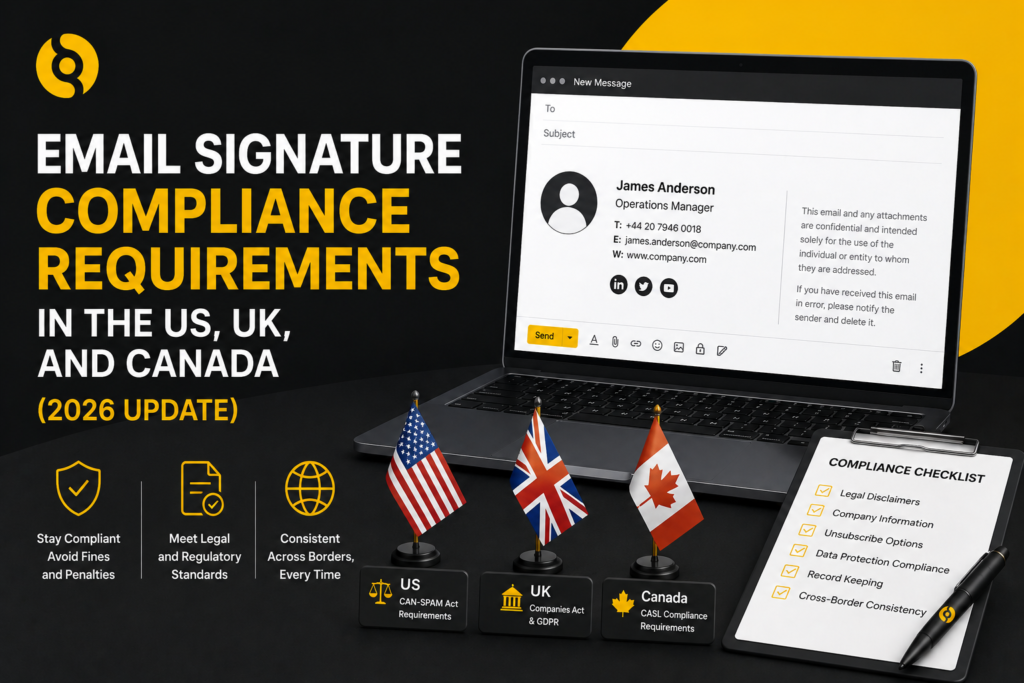
Email signature compliance is not the same in every country. It depends on the type of organisation, where the company is registered, whether the message is commercial, which recipients are contacted and whether the business operates in a regulated sector.
This guide is written for business and marketing teams that need a practical overview of email signature and footer compliance in the US, UK and Canada in 2026. It is not legal advice. For final wording, especially in regulated sectors, legal teams should review templates before rollout.
Why email signatures matter for compliance
Email signatures and footers often carry more than contact details. They may include company registration information, physical address details, disclaimers, confidentiality wording, unsubscribe links, marketing notices and regional compliance text.
When employees manage signatures manually, compliance becomes inconsistent. Some users may remove disclaimers. Others may use old company details. Marketing teams may add banners without the right unsubscribe route. International teams may use the wrong legal entity information.
Centralised email signature management helps by applying approved information automatically across users, departments and locations.
United States: CAN-SPAM and commercial email requirements
In the US, the key federal law for commercial email is the CAN-SPAM Act. It applies to commercial messages, including business-to-business email. The Federal Trade Commission states that there is no exception for B2B email, and that each separate email in violation can carry a financial penalty.
For email signatures and footers, the practical points are:
- Header information must not be false or misleading.
- Subject lines must not be deceptive.
- Commercial emails must identify the message as an ad where required.
- The sender must include a valid physical postal address.
- Recipients must have a clear way to opt out of future commercial email.
- Opt-out requests must be honoured within the required timeframe.
A standard employee email signature is not always a marketing email on its own. A one-to-one operational email may not need the same footer treatment as a promotional campaign. The risk increases when signatures include campaign banners, promotional offers, product-led calls to action or links designed to generate sales enquiries.
US email signature checklist
For US-facing commercial email, review whether your signature or footer includes:
- Accurate sender identity
- Valid company postal address where needed
- Working unsubscribe or preference link where needed
- Non-deceptive promotional wording
- Clear brand and company identification
- Approved campaign links
If your team uses email signature banners for marketing, treat those banners as part of your commercial email governance.
United Kingdom: company disclosures and business emails
In the UK, companies and LLPs have disclosure obligations on business communications. Guidance from UK professional bodies notes that registered company or LLP names must appear in business correspondence and documentation, including business emails. Additional information may also be required, such as the part of the UK in which the company or LLP is registered, the registered number and registered office address.
For many UK limited companies, the practical email footer may need to include:
- Registered company name
- Company registration number
- Place of registration, such as England and Wales, Scotland or Northern Ireland
- Registered office address
- VAT number where relevant
- Sector-specific regulatory information where relevant
The UK also introduced registered email address requirements for companies through Companies House changes from March 2024. This is separate from email signature content, but it reinforces the broader compliance point: official company communication details need to be maintained and kept appropriate.
UK email signature checklist
For UK business email signatures, check whether your templates include:
- Correct legal entity name
- Registered office address
- Company number
- Place of registration
- VAT number if required for your use case
- Professional regulator details if applicable
- Approved disclaimer wording if needed
For multi-entity groups, avoid one generic footer across all users. A user employed by one legal entity should not automatically send footer details for another entity.
Canada: CASL and commercial electronic messages
Canada’s Anti-Spam Legislation, known as CASL, is stricter than many businesses expect. For commercial electronic messages, the Canadian Radio-television and Telecommunications Commission explains that organisations generally need consent, identification information and an unsubscribe mechanism.
For email signatures and footers, the practical requirements include:
- Consent must be express or implied, depending on the situation.
- The message must include required identification information.
- Commercial electronic messages must include an unsubscribe mechanism.
- The unsubscribe process should be simple, quick and easy.
- Unsubscribe links must remain valid for at least 60 days after the message is sent.
- Requests to unsubscribe must be processed without delay and no later than 10 business days after receipt.
If your company sends promotional email to Canadian recipients, signature banners and sales-led calls to action should be reviewed through a CASL lens.
Canada email signature checklist
For Canada-facing commercial messages, check whether your signature or footer includes:
- Correct sender identity
- Required company or organisation information
- Valid contact information
- Clear unsubscribe mechanism
- Preference management where relevant
- Evidence process for consent
- Approved wording for promotional banners
What about disclaimers?
Many companies add long confidentiality disclaimers to every email. In some sectors, disclaimer wording may be useful or expected. In others, it may be excessive. A long legal paragraph can also reduce readability and make mobile emails feel cluttered.
The best approach is to ask three questions:
- Is this disclaimer legally required, contractually useful or simply copied from an old template?
- Does it need to appear on every email or only on specific types of message?
- Can the wording be made shorter without losing its purpose?
Compliance should not mean adding unnecessary text to every signature. It should mean adding the right information to the right messages.
Common compliance mistakes
Using one global footer for every country
A single global footer may be simple, but it can be inaccurate. The US, UK and Canada have different requirements. A Canadian promotional message may need consent and unsubscribe controls, while a UK company email may need registered company details.
Letting employees edit legal text
Employees should not be able to remove or rewrite approved disclaimers and company details. Legal text should be locked within the signature template.
Forgetting campaign banners
If an email signature includes a banner promoting a product, event or offer, that banner may affect how the message is treated. Marketing teams should review campaign banners with compliance in mind.
Not updating company details after structural changes
Mergers, acquisitions, office moves, rebrands and legal entity changes all create email footer risk. Old registered addresses and old company names can remain in employee-managed signatures for months.
Missing mobile signatures
A user replying from mobile may send no signature, a plain-text signature or a different footer from the desktop version. This can create brand and compliance gaps.
How centralised email signature management helps
A centralised platform helps compliance teams apply approved information consistently. Instead of relying on each employee to use the correct wording, templates can be assigned by location, group, department, domain or legal entity.
SIGNandGO supports centralised email signature management across Microsoft 365, Exchange and Google Workspace. It can help organisations apply consistent templates, use directory data, manage campaign banners, support multi-domain structures and keep signature content under central control.
For companies operating across the US, UK and Canada, this matters because compliance requirements are not static text. They need governance, ownership and reliable deployment.
Getting compliance right across every email
Email signature compliance is not only about disclaimers. It is about identity, transparency, consent, company information, unsubscribe routes and accurate legal details.
The most effective approach is to create approved templates by jurisdiction, legal entity and message type. Then apply them centrally rather than relying on employees to maintain them manually.
For 2026, businesses should review email signatures as part of wider email governance. The companies that manage signatures centrally will be in a stronger position to protect brand trust, reduce manual workload and keep compliance details accurate across every business email.