10 Email Signature Mistakes That Damage Brand Credibility
Why email signatures matter more than most companies think
A business email signature looks like a small detail, but it appears on thousands of customer, supplier, partner and candidate interactions every month. For many recipients, it is one of the most frequent brand touchpoints they see. When the signature is clean, accurate and consistent, it supports trust. When it is messy, outdated or inconsistent, it raises doubts about how well the business manages its communication.
The issue is rarely one bad signature. The real problem is scale. In a company with 50, 200 or 1,000 employees, small individual differences quickly become a visible brand problem. One person uses an old logo. Another has a broken LinkedIn icon. A third has a disclaimer from three years ago. Someone else still has a banner promoting an event that finished last quarter. None of these mistakes feels serious in isolation, but together they create a fragmented impression.
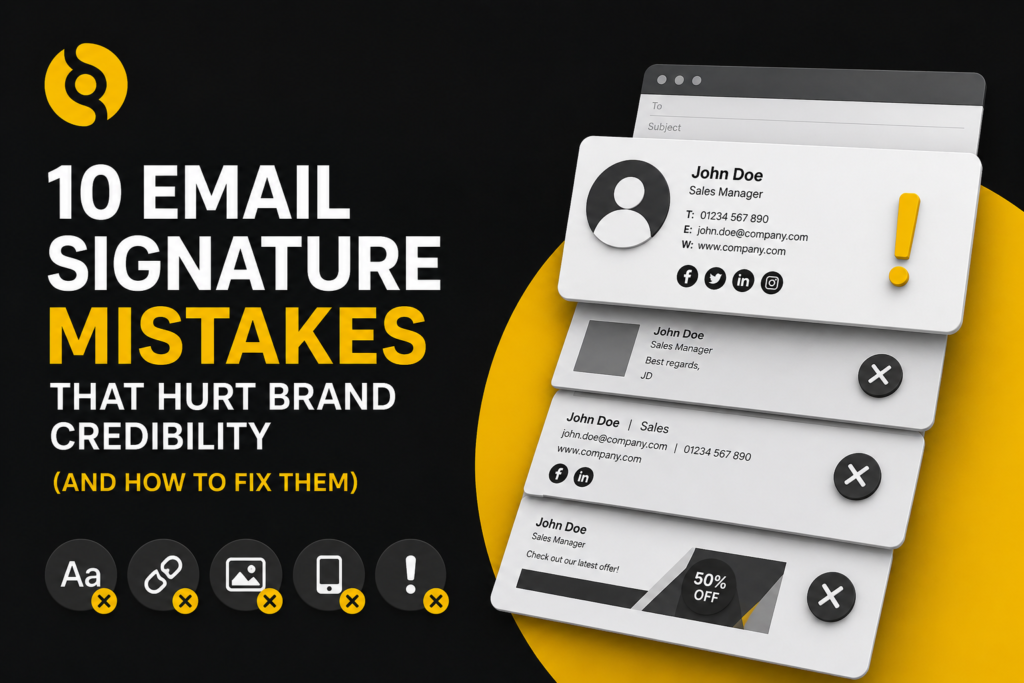
Here are 10 common email signature mistakes that hurt credibility and how to fix them.
1. Inconsistent layouts across teams
The most common mistake is allowing employees to build or edit their own signatures. Even when everyone starts with the same template, small changes creep in. Font sizes change, job titles are formatted differently, spacing varies and mobile signatures often look nothing like desktop versions.
Inconsistent layouts suggest a lack of control. They also make the brand feel less professional, especially when multiple employees are included in the same thread.
How to fix it: Use a centrally managed template that applies the same layout rules across departments, locations and devices. Individual details such as name, job title and phone number should be pulled from a trusted directory rather than typed manually.
2. Outdated job titles or contact details
Old job titles, expired phone numbers and incorrect office addresses create friction for recipients. They also make internal processes look weak. If a customer cannot trust the details in your email signature, it is harder for them to trust the rest of your communication.
This usually happens when HR or IT updates employee records in one place, while signatures sit separately in each user’s email client.
How to fix it: Connect signatures to Microsoft 365, Exchange, Active Directory or Google Workspace directory data. When employee information changes, the signature should update automatically without asking the user to make changes.
3. Poor image quality
Low-resolution logos, stretched banners and pixelated social icons make a signature look unpolished. This is particularly damaging for businesses selling professional services, technology, finance, legal, recruitment, healthcare or corporate B2B products where trust is central to the buying decision.
How to fix it: Use properly sized, compressed and tested image assets. Keep logos sharp, avoid unnecessary decorative images and check how the signature renders in Outlook, Gmail, Apple Mail, webmail and mobile apps.
4. Too much information
A signature should help the recipient identify the sender and take the next useful step. It should not become a digital leaflet. Some companies add every phone number, every social channel, long legal paragraphs, multiple badges, awards, banners and internal slogans.
The result is clutter. The recipient does not know what to click, and the brand message becomes weaker.
How to fix it: Prioritise the essentials: name, role, company, key contact route, website, relevant social profile and any required legal information. Use banners only when they have a clear campaign purpose.
5. No mobile consistency
Many email signatures look acceptable on desktop but break on mobile. Images resize badly, tables collapse, icons move out of alignment and long disclaimers dominate the message. Since a large share of business email is opened or replied to on mobile devices, this is a credibility issue, not a design footnote.
How to fix it: Test every signature template across devices before rolling it out. Server-side signature management is often the most reliable way to keep formatting consistent across Outlook, Gmail, web and mobile clients.
6. Broken links and social icons
Broken website links, missing images and social icons that lead to the wrong profile are easy to overlook. They are also easy for prospects to notice. A broken link in a signature suggests that no one is checking the details.
How to fix it: Review signature links as part of every campaign launch and brand update. Use UTM tracking where relevant, but keep URLs clean behind linked text or icons. Centralised management makes this easier because links are changed once rather than across every individual mailbox.
7. Old campaign banners
Email signature banners can be a useful owned media channel. They can promote webinars, guides, product updates, case studies, events and seasonal campaigns. The mistake is leaving them live after the campaign has ended.
An outdated banner makes the brand look inattentive and can send prospects to irrelevant pages.
How to fix it: Schedule banners with start and end dates. Assign different banners by department, audience, geography or business unit. Marketing should be able to manage campaigns without relying on every employee to update their own signature.
8. Unapproved personal additions
Employees often add quotes, awards, badges, charity links, pronouns, personal social profiles or side-project links. Some additions are harmless, but others create brand, legal or reputational risk. A company signature should not become a personal noticeboard.
How to fix it: Create a clear email signature policy. Define what is mandatory, what is optional and what is not allowed. Use role-based templates so approved variations can exist without losing control.
9. Missing legal or company information
Some organisations need to include specific legal information in emails, depending on where they operate, what type of entity they are and which industry they serve. UK companies and LLPs, for example, may need to show registered company details on business emails. Marketing emails sent to the US or Canada may need accurate sender information and unsubscribe mechanisms.
How to fix it: Treat compliance text as part of the signature system, not an afterthought. Create region-specific templates and get legal approval before rollout. For regulated sectors, use different disclaimers by entity, country or department.
10. No ownership
A poor email signature usually has one root cause: nobody owns it properly. IT may control the mail environment. Marketing owns the brand. HR owns employee data. Legal owns disclaimers. Sales wants campaign links. When no one has a shared process, every update becomes slow and inconsistent.
How to fix it: Assign ownership between IT, marketing, HR and compliance. Use a platform that lets each team manage its part without giving everyone unrestricted access. For example, IT can control deployment, marketing can manage banners, HR can maintain employee data and compliance can approve legal text.
The business case for fixing email signatures
Email signatures are not only a design issue. They affect brand consistency, deliverability perception, campaign performance, employee onboarding, legal risk and IT workload. For a growing company, manual signature management becomes harder every time a new starter joins, someone changes role or a campaign goes live.
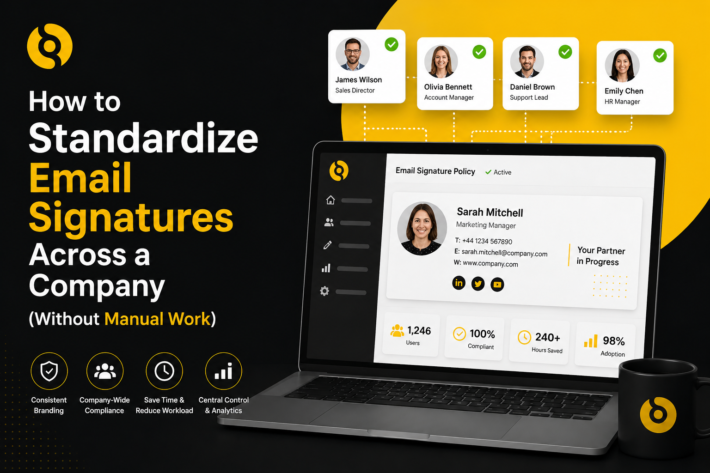
SIGNandGO helps companies remove signature control from individual users and manage everything centrally across Microsoft 365, Exchange and Google Workspace. That means consistent templates, directory-based employee data, scheduled campaign banners, multi-domain support and no user-side installation.
What to do next
Most email signature mistakes are preventable. The challenge is not knowing what a good signature looks like. The challenge is keeping every signature accurate across every person, device, location and campaign.
A professional email signature should feel invisible in the right way. It should support trust, guide the recipient and reflect the brand without creating clutter. When managed centrally, it becomes a controlled communication asset rather than another admin task.