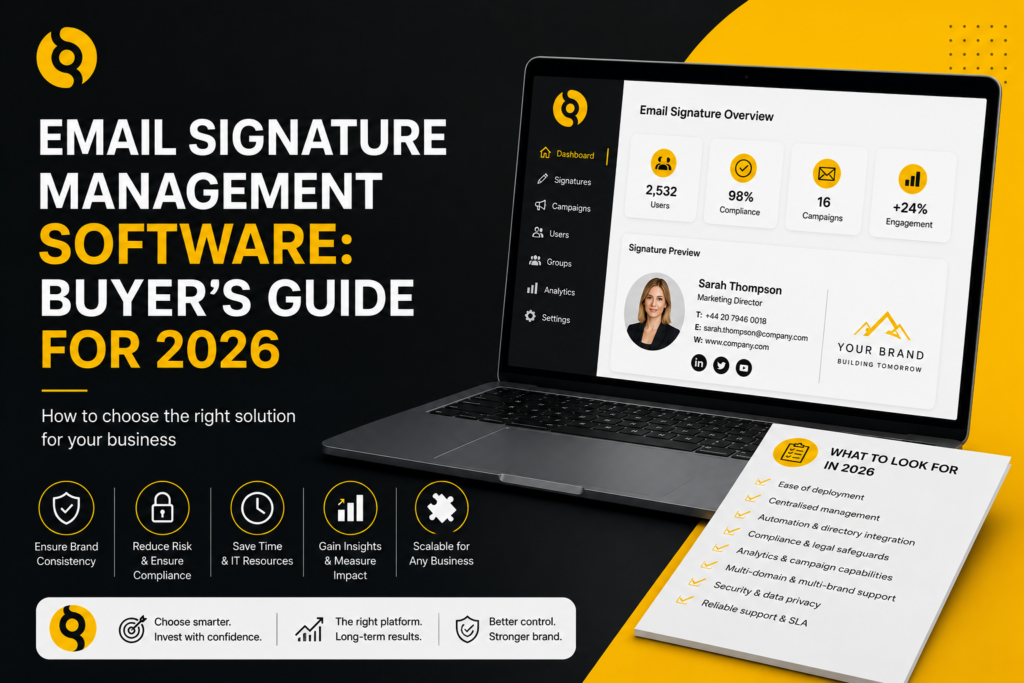
Email Signature Management Software: Buyer’s Guide for 2026
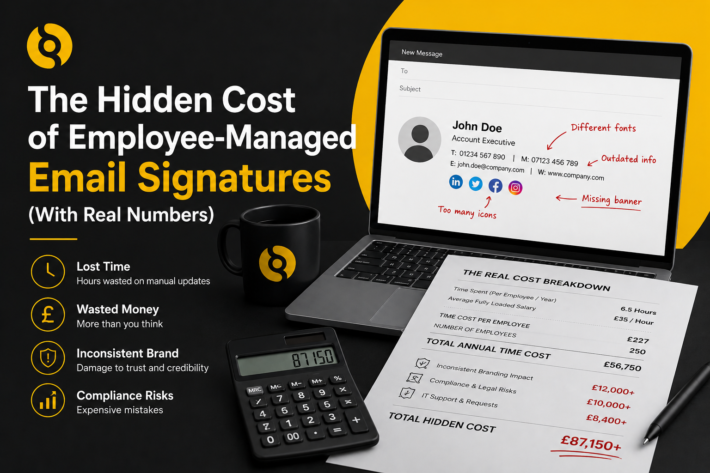
What is email signature management software?
Email signature management software allows an organisation to create, control and deploy email signatures centrally. Instead of asking each employee to copy and paste a template into Outlook, Gmail or another email client, administrators manage signature rules from one platform.
The software can apply approved templates to users, groups, departments, domains or regions. It can also update contact details from a company directory, add campaign banners, apply legal disclaimers and keep signatures consistent across desktop, web and mobile email clients.
For small teams, manual signatures may feel manageable. For growing companies, multi-site businesses and regulated sectors, centralised control becomes essential.
Why buyers are reviewing email signature tools in 2026
Email remains one of the most used business communication channels. At the same time, companies are under pressure to maintain brand consistency, reduce IT admin, protect customer data and turn owned communication channels into measurable marketing assets.
Email signatures sit at the centre of those needs. They carry employee identity, company details, legal text, social links, campaign banners and calls to action. In 2026, buyers should look beyond basic template design and ask whether the platform can support security, automation, compliance and measurable campaign activity.
Core features to look for
1. Centralised template management
The platform should let administrators create and edit templates from one place. This includes layout, font styling, logos, social icons, disclaimers, banners and calls to action.
A strong system should also support template variations by department, location, seniority, brand, language or legal entity. A sales director, support agent and finance team member may need different signature content, but the company should still control the overall brand framework.
2. Directory synchronisation
Directory sync is one of the most important buying criteria. The platform should connect to employee data sources such as Microsoft 365, Active Directory, Exchange or Google Workspace. This ensures names, job titles, phone numbers, departments and office locations are applied automatically.
Without directory sync, the company still depends on manual updates. That means job title changes, phone number changes and leaver data can be missed.
3. Compatibility with your email environment
Before comparing design features, confirm compatibility. The platform should support your current environment and any likely future migration plans.
Key questions include:
- Does it support Microsoft 365?
- Does it support Exchange Server?
- Does it support Google Workspace and Gmail?
- Does it work across Outlook desktop, Outlook web, Gmail web, mobile apps and common mail clients?
- Does it require user-side installation?
- Can it support multiple domains and subsidiaries?
SIGNandGO supports Microsoft 365, Exchange and Google Workspace, making it suitable for companies with cloud, on-premise or mixed email environments.
4. Server-side signature deployment
Server-side deployment applies the signature during mail processing rather than relying on each user’s local email client. This is useful because employees do not need to install anything, copy templates or worry about device-specific formatting.
For IT teams, this reduces support tickets. For marketing teams, it improves consistency. For compliance teams, it reduces the chance of users removing required information.
5. Role-based access control
Email signatures involve several teams. IT may manage deployment. Marketing may manage design and campaigns. HR may own employee data. Legal may approve disclaimers.
A suitable platform should support role-based permissions so each team can manage the areas they are responsible for. This avoids bottlenecks while keeping governance in place.
6. Campaign banner management
Email signatures can be used as a marketing channel, but only if banners are controlled properly. Look for a platform that lets marketing teams schedule campaign banners by date, department, region or audience.
Useful campaign features include:
- Start and end dates
- Department-level targeting
- UTM-tagged links
- Different banners for different brands or locations
- Analytics for clicks and engagement
This helps companies promote webinars, guides, events, product updates, case studies and seasonal offers without buying more media.
7. Analytics and tracking
Email signature analytics help marketing teams understand which banners, links and calls to action receive engagement. This is especially useful for B2B companies with high email volume and long buying cycles.
Look for campaign reporting that shows click performance, campaign comparisons and which signature elements are working. Analytics should be practical, not just a vanity dashboard.
8. Compliance controls
Different companies need different legal information in their email footers. Requirements vary by country, legal entity and sector. A buyer should confirm that the platform can apply approved disclaimers and company details by group, geography or domain.
This is particularly important for businesses operating across the UK, US, Canada or Europe. Legal text should be governed centrally rather than left to employees.
9. Security and data handling
Ask clear questions about data access and processing. A signature platform should not require unnecessary access to message content. It should also support secure transmission, appropriate authentication and administrative controls.
For larger businesses, security review will usually involve IT, legal and procurement. Prepare a checklist before vendor demos so you can compare responses consistently.
10. Ease of administration
The system should be easy enough for non-technical teams to use once IT has completed the initial setup. If every campaign banner, text change or template update needs developer-level support, the company will still face delays.
Look for a clear admin interface, preview tools, template duplication, group rules and safe approval processes.
Questions to ask vendors
Before choosing email signature management software, ask vendors the following:
- Which email platforms do you support?
- Is deployment server-side, client-side or both?
- Do users need to install anything?
- How does directory synchronisation work?
- Can we target signatures by department, group, domain or location?
- Can marketing schedule banners without IT support?
- Does the platform support UTM tracking and analytics?
- How are legal disclaimers controlled?
- What data does the platform access?
- Can we manage multiple brands or subsidiaries?
- What happens when an employee joins, changes role or leaves?
Common buying mistakes
The first mistake is choosing based on template design alone. Design matters, but the real value comes from automation, governance and reliable deployment.
The second mistake is ignoring mobile rendering. A signature that breaks on mobile will create complaints after rollout.
The third mistake is underestimating internal ownership. Decide early who owns IT setup, brand rules, HR data quality, legal text and campaign activity.
The fourth mistake is buying a tool that only solves today’s environment. If the company may move from Exchange to Microsoft 365 or add Google Workspace users after an acquisition, platform flexibility matters.
Where SIGNandGO fits
SIGNandGO is built for businesses that need centralised email signature management across Microsoft 365, Exchange and Google Workspace. It supports automatic directory syncing, consistent deployment, campaign banners, analytics, multi-domain management and no user-side installation.
For UK-focused B2B companies, the key advantage is practical control. IT teams reduce manual work, marketing gains a measurable email channel and compliance teams gain confidence that approved information is present across the organisation.
Choosing a platform with confidence
The right email signature management software should save time, reduce errors and improve every external email touchpoint. It should not only make signatures look better. It should make them easier to govern.
For 2026 buyers, the strongest shortlist will prioritise compatibility, automation, security, campaign control, analytics and compliance. A good platform should make signature management feel controlled, measurable and simple to maintain as the company grows.